
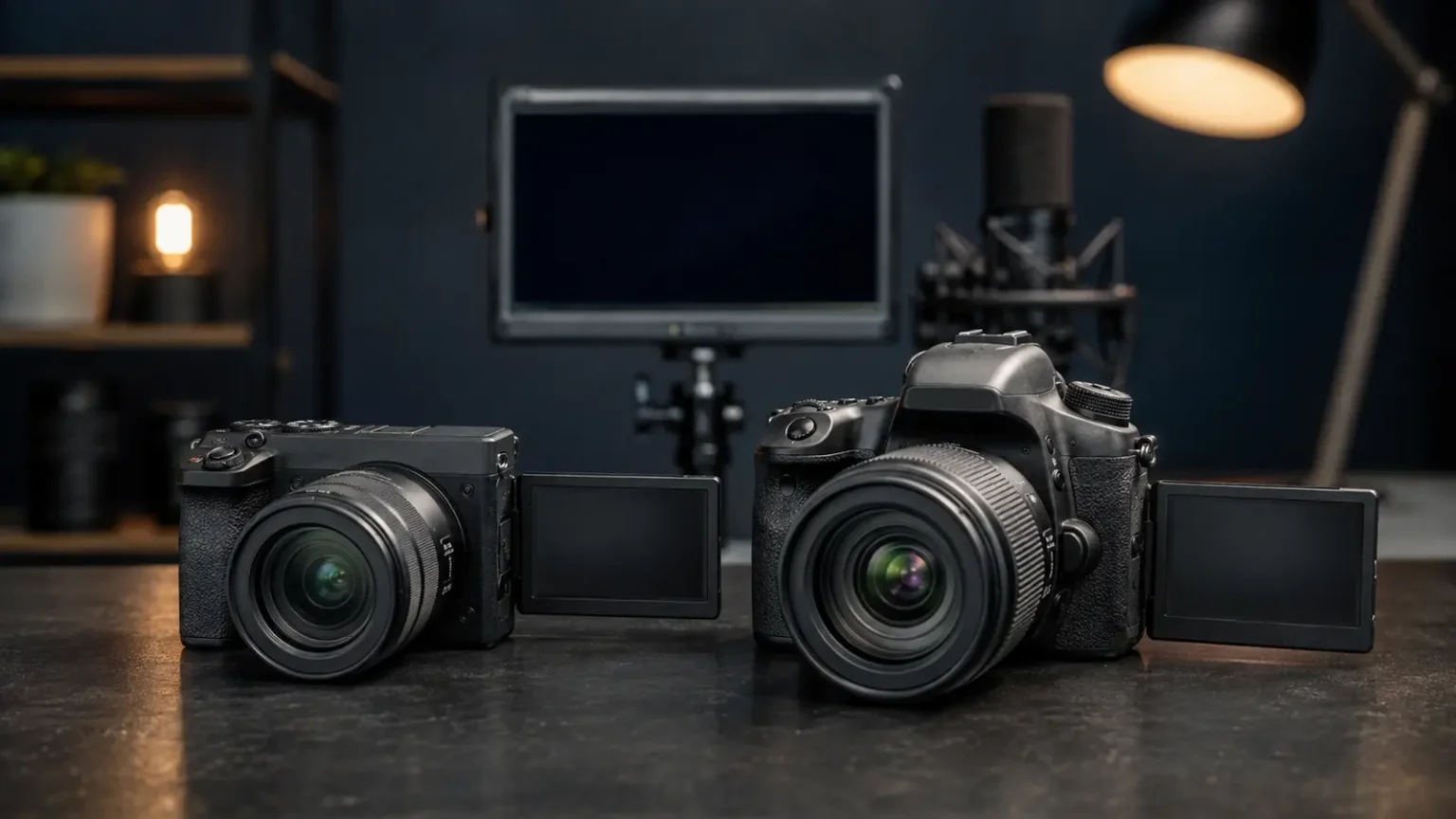
If you’re comparing a Mirrorless vs DSLR camera for video, mirrorless is the stronger choice for most people buying a new system. It usually gives you more dependable live-view autofocus, better on-screen monitoring, a smaller body, and a deeper set of video tools. A DSLR can still be a smart buy if you already own compatible lenses, find an exceptional used deal, or plan to work mostly from a tripod.
- Mirrorless vs DSLR Camera for Video: The Short Answer
- Why Mirrorless Usually Wins for Video
- Autofocus Is Built Around the Live Image
- Stabilization Makes Handheld Work More Forgiving
- Modern Video Tools Are Easier to Find
- Where a DSLR Still Makes Sense
- Image Quality Depends on More Than the Mirror
- Which Camera Is Better for Your Kind of Video?
- YouTube and Talking-Head Videos
- Vlogging and Travel
- Weddings and Events
- Short Films and Controlled Productions
- A First Camera on a Tight Budget
- What to Check Before You Buy
- Common Buying Mistakes
- Spending the Entire Budget on the Body
- Assuming Every Mirrorless Camera Has the Same Features
- Choosing Specs Over Handling
- Final Verdict: Mirrorless Is Best for Most Video Shooters
- Frequently Asked Questions
The important part is that “mirrorless” doesn’t automatically mean better footage. Sensor readout, recording formats, heat management, lens choice, lighting, and sound all matter more than the absence of a mirror. The best camera is the one that handles your kind of filming without creating new problems on set.
Mirrorless vs DSLR Camera for Video: The Short Answer
For YouTube, vlogging, weddings, events, travel, and everyday content creation, a current mirrorless camera is usually the easier and more flexible option. DSLRs remain capable, especially in controlled productions, but most new video development is now happening in mirrorless systems.
| What matters for video | Mirrorless | DSLR | Usual advantage |
|---|---|---|---|
| Autofocus while recording | Fast subject detection and broad frame coverage are common on newer models | Varies widely; many older bodies have slower live-view autofocus | Mirrorless |
| Stabilization | In-body stabilization is common, but not universal | More often relies on stabilized lenses or digital correction | Mirrorless |
| Monitoring | Electronic preview, exposure aids, and articulating screens are widely available | Uses the rear screen during video; the optical viewfinder isn’t available | Mirrorless |
| Battery and power | Smaller batteries, often balanced by USB charging or continuous power | Excellent stills battery life, though video keeps the screen and sensor active | Depends on model |
| Size and weight | Usually a smaller body; large lenses can narrow the difference | Larger grip and body can feel steadier with heavy lenses | Personal preference |
| Used value | Newer features usually cost more | Older bodies and lenses can be excellent bargains | DSLR |
Why Mirrorless Usually Wins for Video
Autofocus Is Built Around the Live Image
A DSLR’s optical viewfinder works by reflecting light through a mirror. Once video recording begins, that mirror lifts and the camera switches to live view on the rear screen. Depending on the model, autofocus in this mode may be slower or less confident than it is for still photography.
Mirrorless cameras are designed around a constant live feed from the imaging sensor. On newer bodies, that makes features such as face detection, eye detection, subject tracking, and touch-to-focus feel more integrated. This is especially useful when you’re filming yourself or following a moving subject without a dedicated focus puller.
There are exceptions on both sides. A well-regarded DSLR can outperform an entry-level mirrorless camera, and autofocus behavior changes with the lens, frame rate, lighting, and recording mode. Look at performance for the exact camera not only the category printed on the box.
Stabilization Makes Handheld Work More Forgiving
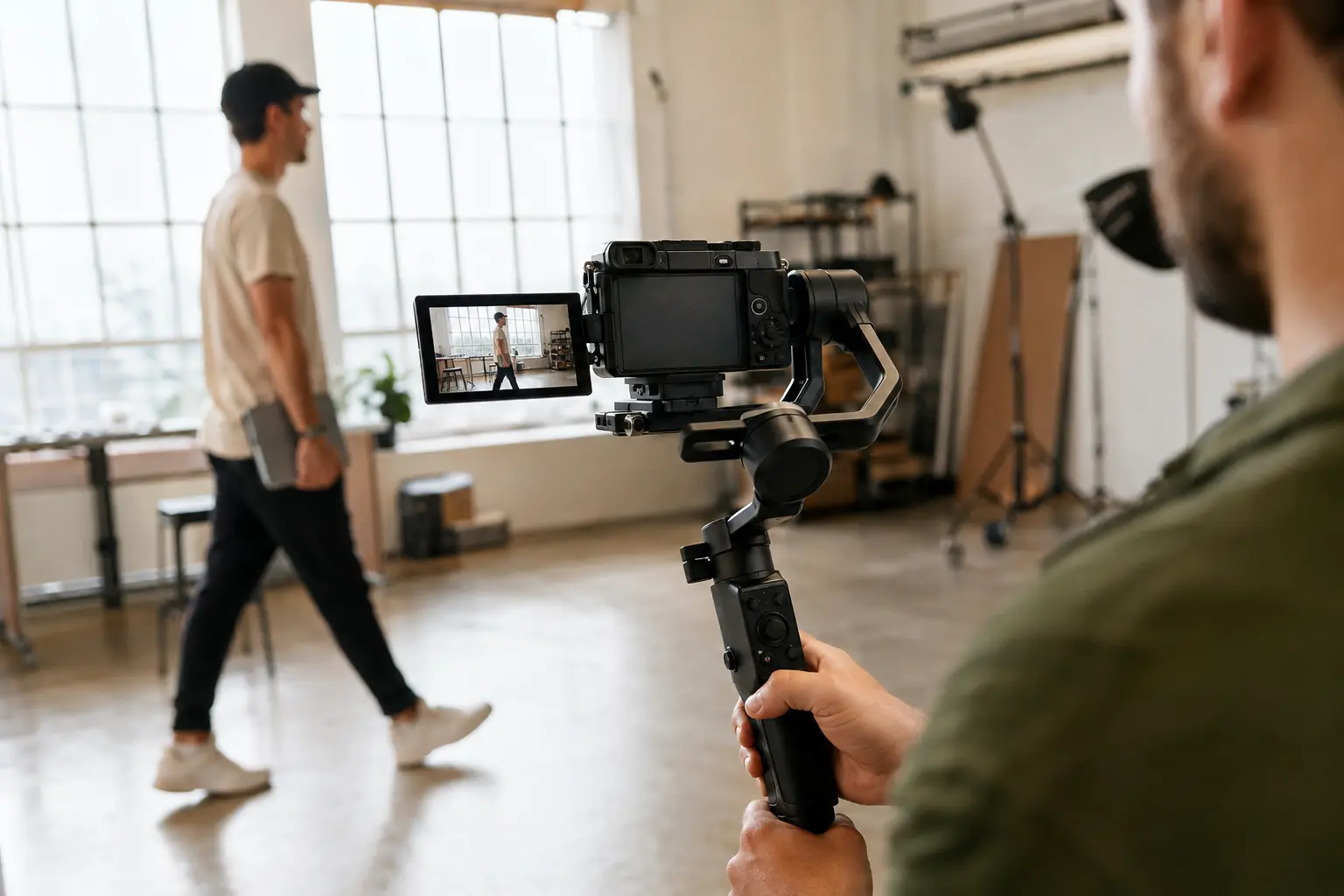
In-body image stabilization, often shortened to IBIS, shifts the sensor to reduce small shakes. It’s increasingly common in mirrorless bodies and can help when you’re filming handheld, using unstabilized prime lenses, or grabbing short clips while traveling. It won’t turn walking footage into a perfectly smooth tracking shot, but it can make static handheld footage look calmer.
Many DSLRs rely on optical stabilization in selected lenses. That can work very well, but you need to check each lens. A tripod, monopod, shoulder rig, or gimbal may still be the better answer when movement needs to look deliberate.
Modern Video Tools Are Easier to Find
Current mirrorless cameras are more likely to offer high-frame-rate 4K, log profiles, waveform or zebra displays, focus peaking, 10-bit recording, open-gate modes, and practical USB power options. You may not need all of them. Still, these tools can give you more room to expose accurately, monitor focus, crop for vertical video, or color-grade later.
Don’t buy from a feature list alone. Some modes introduce a crop, reduce autofocus performance, create heavy rolling shutter, or increase the chance of overheating. A useful specification is one your camera can sustain in the resolution and frame rate you actually plan to use.
Where a DSLR Still Makes Sense
A DSLR isn’t suddenly incapable because the market moved on. Many award-worthy short films, documentaries, music videos, and online series were made with DSLR bodies. In the right setup, an older camera can still produce attractive, professional-looking footage.
- You already own compatible lenses. Keeping a good lens collection may save far more money than switching systems for a modest body upgrade.
- You found a strong used deal. A dependable DSLR, fast lens, microphone, light, tripod, and spare batteries can be a better starter kit than a newer body with no supporting gear.
- You work in controlled conditions. For interviews, product videos, studio demonstrations, or narrative work with manual focus, the latest tracking system may not matter.
- You prefer a larger grip. A bigger body can feel better balanced with long or heavy lenses, particularly during tripod and shoulder-rig work.
The main limitation is future flexibility. New DSLR releases and native lens development have slowed, while mirrorless systems continue to receive the newest video features. If you’re starting with no existing gear, a DSLR is usually a budget decision rather than the most adaptable long-term choice.
Image Quality Depends on More Than the Mirror
A mirrorless body and a DSLR with similar sensor sizes can deliver more similar results than their labels suggest. The mirror mechanism doesn’t create cinematic color or sharper footage. Pay closer attention to how the sensor is read, how the file is recorded, and whether the camera uses the full width of the sensor in your preferred mode.
Two cameras may both advertise 4K while producing noticeably different images. One might oversample from a higher-resolution sensor, while another applies a heavy crop or skips information. Bit depth and chroma subsampling affect how far a file can be pushed in color grading. Rolling shutter affects how vertical lines look during quick pans. None of that is explained by “DSLR” or “mirrorless” alone.
Lens choice, lighting, exposure, white balance, and audio often make a bigger difference to the finished video than a small gap in camera specifications. A cleanly recorded voice and soft, well-placed light can make a modest camera look polished. An expensive body with poor sound still feels unfinished.
Which Camera Is Better for Your Kind of Video?
YouTube and Talking-Head Videos
Mirrorless is the safer recommendation. A fully articulating screen, face or eye autofocus, a microphone input, and USB power make solo recording much easier. Add a reliable lens with a useful field of view before spending extra on high-end slow motion.
Vlogging and Travel
Choose mirrorless for the smaller setup and more dependable live-view operation. Check the total weight with your intended lens, though. A tiny body paired with a large zoom may feel front-heavy, and aggressive digital stabilization can crop the frame.
Weddings and Events
Mirrorless autofocus and stabilization are valuable when moments can’t be repeated. Reliability matters just as much: look for dual card recording if your work requires backup files, test battery endurance, and learn the camera’s heat behavior before a long ceremony or speech.
Short Films and Controlled Productions
Either type can work because focus, movement, lighting, and sound are often controlled. Prioritize clean output, the recording codec, lens availability, monitoring connections, and rigging. A cheaper DSLR with good lenses may be sensible if the camera’s limitations match your workflow.
A First Camera on a Tight Budget
Compare complete used kits. A discounted DSLR becomes less attractive if you immediately need new batteries, an external recorder, or lenses that won’t move easily to a future system. Likewise, an affordable mirrorless body isn’t affordable if the one lens you need costs more than the camera.
What to Check Before You Buy
Use your actual shooting plans as the filter. Before choosing a Mirrorless vs DSLR camera, check these details for the exact model and recording mode:
- 4K crop and sensor readout: Will your lens still be wide enough, and is the image oversampled or heavily cropped?
- Frame rates: Do you need 24p, 30p, 60p, or higher for slow motion?
- Autofocus reliability: Does subject tracking work at your chosen resolution and frame rate?
- Rolling shutter: Does motion bend straight lines or make quick pans look wobbly?
- Recording and thermal limits: Can the camera handle the length of your interviews, events, or streams?
- Audio connections: A microphone input is important; a headphone output is even better for monitoring.
- Screen design: A side-hinged screen helps solo creators, but some filmmakers prefer a tilting screen behind the lens axis.
- Power options: Check spare-battery prices and whether the camera can record while powered by USB.
- Storage demands: Higher-quality codecs may require faster, more expensive cards and much more drive space.
- Lens cost: Price the lenses you’ll realistically buy over the next two years.
Common Buying Mistakes
Spending the Entire Budget on the Body
Leave room for at least one suitable lens, a microphone, stable support, spare power, memory cards, and basic lighting. These aren’t optional extras if they solve the weaknesses viewers notice first.
Assuming Every Mirrorless Camera Has the Same Features
Some mirrorless bodies lack IBIS, a headphone jack, 10-bit recording, or a fully articulating screen. Others offer advanced modes but crop heavily or overheat sooner in them. Read the fine print for the mode you’ll actually use.
Choosing Specs Over Handling
A camera that feels awkward can slow down every shoot. Button placement, menu logic, screen visibility, grip comfort, and how quickly you can change exposure all matter. If possible, handle the body with a lens similar in size to the one you plan to own.
Final Verdict: Mirrorless Is Best for Most Video Shooters
For most people starting fresh, mirrorless is the better video investment. It puts modern autofocus, monitoring, stabilization options, and current lens development in one system. That makes shooting easier now and leaves more room to grow.
A DSLR is still worth considering when it lets you reuse good lenses, build a complete kit for less, or work comfortably in a controlled manual-focus setup. Don’t replace capable gear simply because it has a mirror. Replace it when a specific limitation focus, recording quality, heat, stabilization, or monitoring is getting in the way of the videos you want to make.
For more practical setup advice, browse CameraStampa’s videography guides.
Frequently Asked Questions
Can a DSLR shoot professional video?
Yes. A DSLR can produce professional results with the right lens, lighting, sound, exposure, and camera support. Its limitations are more likely to involve autofocus, monitoring, or recording options than basic image quality.
Is mirrorless better in low light?
Not automatically. Low-light performance depends mainly on the sensor, lens aperture, resolution, processing, and how much noise you consider acceptable. Compare specific models tested in the same recording mode.
Do mirrorless cameras overheat during video?
Some can, particularly in high-resolution or high-frame-rate modes, but heat performance varies widely. Ambient temperature, screen position, recording settings, and repeated clips can all affect run time. Check the exact model for your typical recording length.
Is a DSLR cheaper for video?
Used DSLR bodies and lenses can be excellent value. Compare the complete kit, not only the body price. Adapters, batteries, microphones, storage, support, and future lens purchases can change which option is genuinely cheaper.
Should a beginner buy mirrorless or DSLR?
A beginner with no existing lenses will usually be better served by mirrorless because it offers a more current upgrade path and simpler video autofocus. A DSLR can still be a smart learning tool when the price leaves room for a lens, sound, and lighting.